
Instructions For The Document Are Below:
About This Form
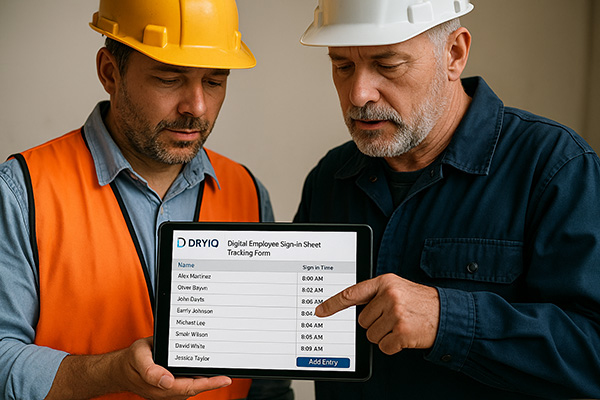
The Employee Sign‑In Sheet records who worked on site, what they did, and when they were on the clock. It captures each technician’s name, tasks performed, time in/out, auto‑calculates total hours (including overnight shifts), and provides a place for supervisor initials. Use it daily to keep accurate, print‑ready records for compliance, payroll, and job files.
- Digital entry for fast, legible records.
- Auto totals per row and a grand total for all techs.
- Supervisor initials column for verification.
- Print‑ready layout and CSV export for back‑office use.
What You’ll Need
- Job name, date, page number (if multi‑page), site address.
- Recovery supervisor name.
- Technician list and the tasks performed.
- Start/end times for each technician’s work period.
How to Use It
- Enter job details: Fill in Job Name, Date, Page, Supervisor, and Address.
- Add rows: Click “+ Add Row” (or “+ Add 5”) to create entries for each technician.
- Complete each entry: Type the Technician Name, a concise Task summary, and set Time In and Time Out. The Total Time (hrs) field calculates automatically.
- Overnights: If a shift crosses midnight (e.g., 22:30 to 01:15), just enter the times—hours will be calculated correctly.
- Supervisor verification: The supervisor adds Initials for each completed row.
- Review totals: Check the Grand Total at the bottom for total technician hours.
- Finish: Click Print Sheet for a clean hard copy, or Export CSV for payroll/records.
Tips & Best Practices
- One row per continuous work period. If a tech takes a long break or changes tasks, add another row.
- Use clear, short task notes (e.g., “Demo drywall – NE bedroom” or “Set dehus – basement”).
- Validate times before printing—empty or partial times won’t total.
- Daily sign‑off: Have the supervisor review and initial all rows at day’s end.
Printing & Export
- Print Sheet hides buttons and extra UI for a crisp record.
- Export CSV downloads all entries with job metadata for import into spreadsheets or payroll systems.